What are nested functions? Simply put, they are functions placed inside another Excel function. A helpful way to visualize them is to think of a Russian Nesting Doll: the inner operation must be solved first so that the outer doll (the main function) can process the final result.
Nesting requires a clear hierarchy. The outer function is the primary operation, while the inner function defines a preliminary calculation necessary for the first one to work.
The order of operations
Excel always resolves the innermost level first. To do this correctly, parentheses are key. Every inner argument must be properly contained so the outer function can "read" the result as a single input.
For example, if you want to round the result of a sum that uses multiple criteria, you would use ROUND as your primary (outer) function and SUMIFS as your internal (inner) function. Excel will first calculate the total sum, and once it has that specific number, it applies the rounding to the correct decimal places.
The "Golden rule" of parentheses
The most frequent error in nesting is mismatched parentheses. Besides ensuring every open parenthesis has a matching closing one, Excel provides a visual "cheat sheet": Color-coding. The opening parenthesis of the primary function is usually black, while the inner levels vary between red, green, and purple. This helps you track which level you are currently closing.
What does it look like in practice?
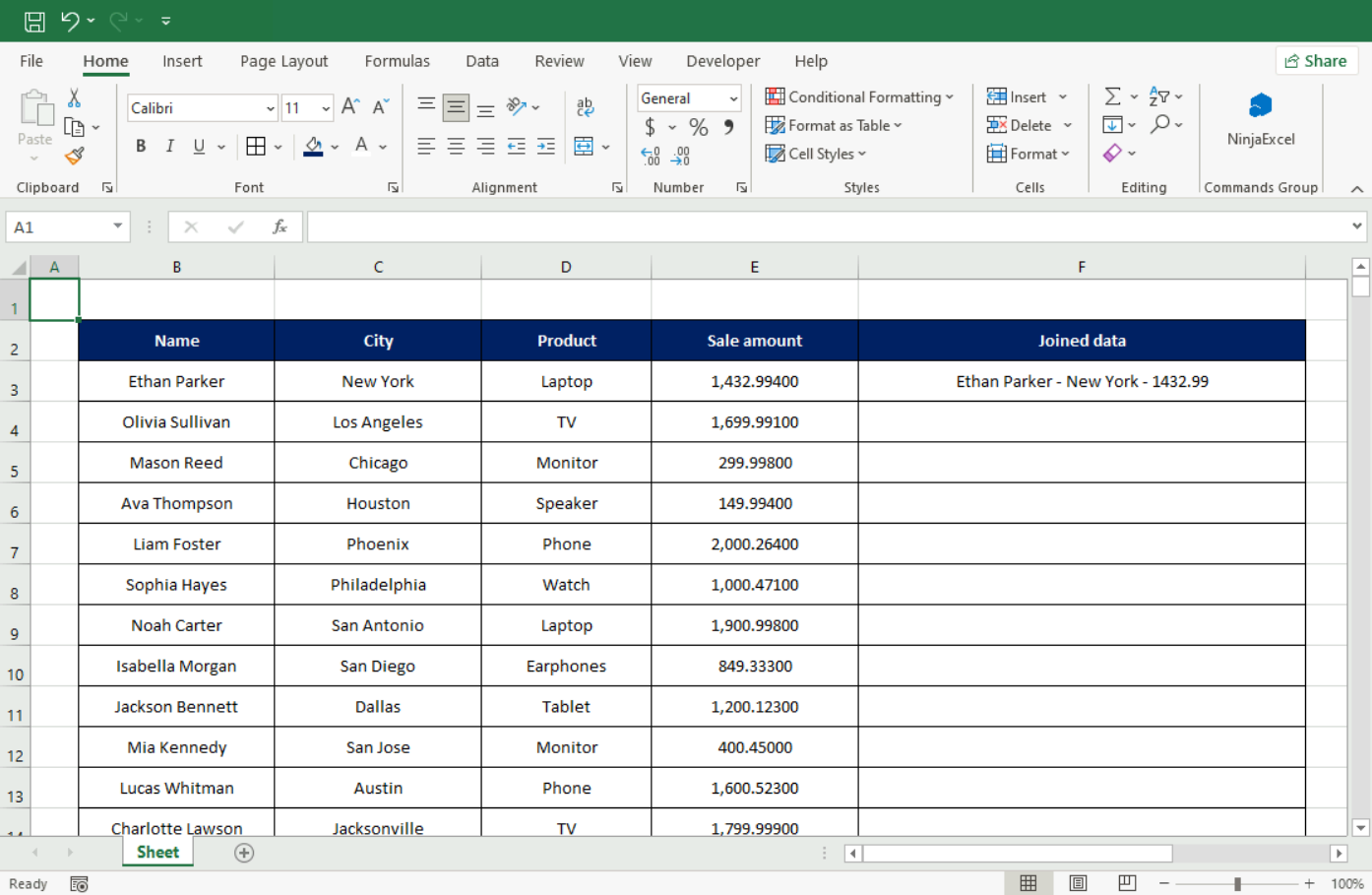
To generate the automatic text in column F, the primary function is TEXTJOIN, because the ultimate goal of the entire formula is to combine information from different cells.
The internal functions—from "deepest" to "shallowest"—are:
SUMIFS: Calculates the total sales for a specific salesperson in a specific city.
ROUND: Takes that sum and limits it to exactly two decimal places.
In the Formula Bar, it looks like this:
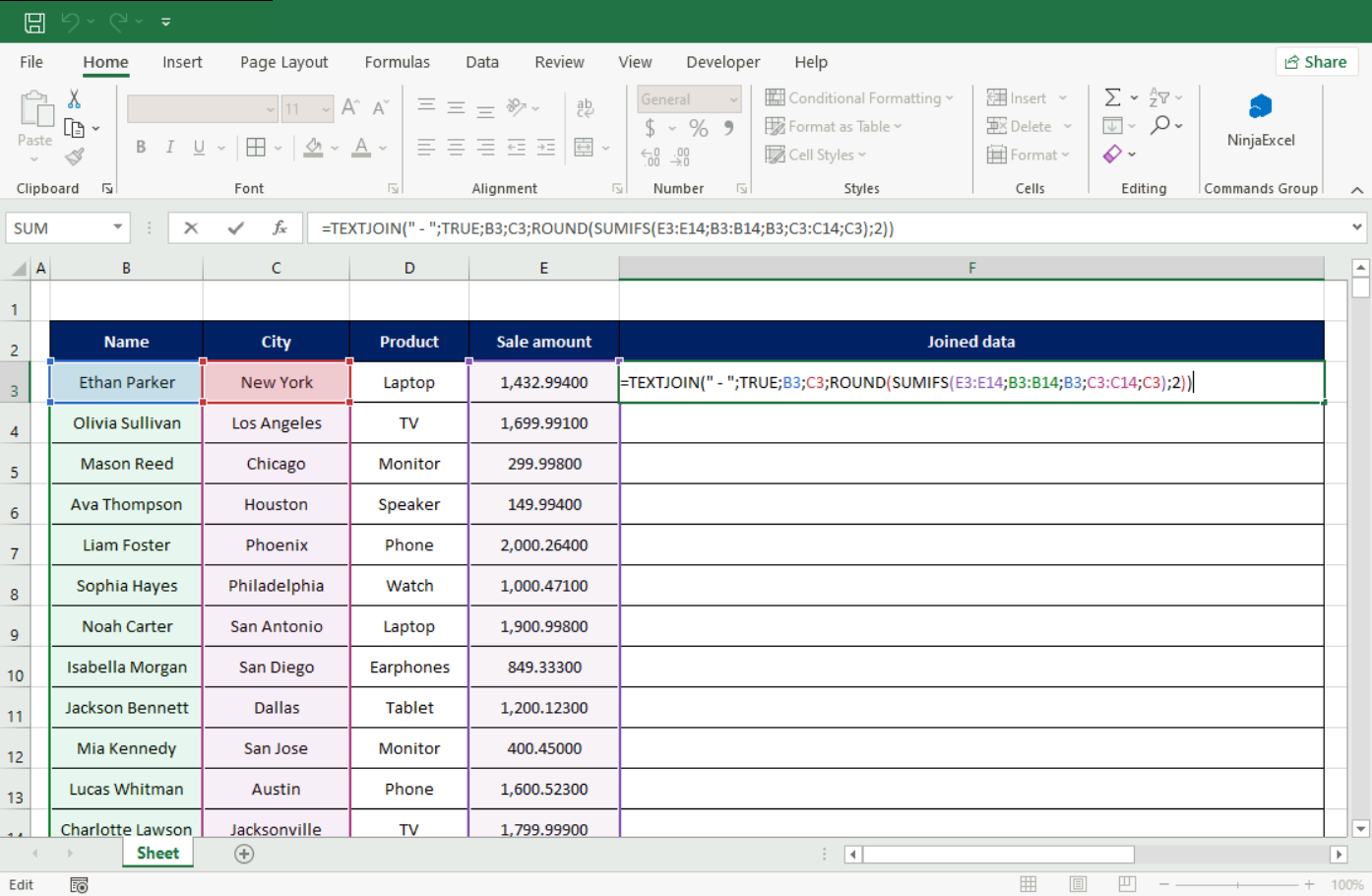
Excel displays the parentheses according to their levels:
TEXTJOIN opens and closes with black parentheses.
ROUND uses red parentheses.
SUMIFS (the deepest level) uses purple parentheses.
Breaking down the arguments:
In TEXTJOIN: " - " is the delimiter between text strings, and TRUE tells Excel to ignore any empty cells.
In ROUND: The argument "2" tells Excel to round the sum to two decimal places (e.g., changing 1432.99400 to 1432.99).
In SUMIFS: The function looks in the Sales column for values that match the salesperson and city listed in Row 3. Note that we use relative references (clicking the cells) instead of typing "Ethan Parker" or "New York" in quotes. This allows us to drag the formula down so Excel can automatically calculate the rest of the rows.
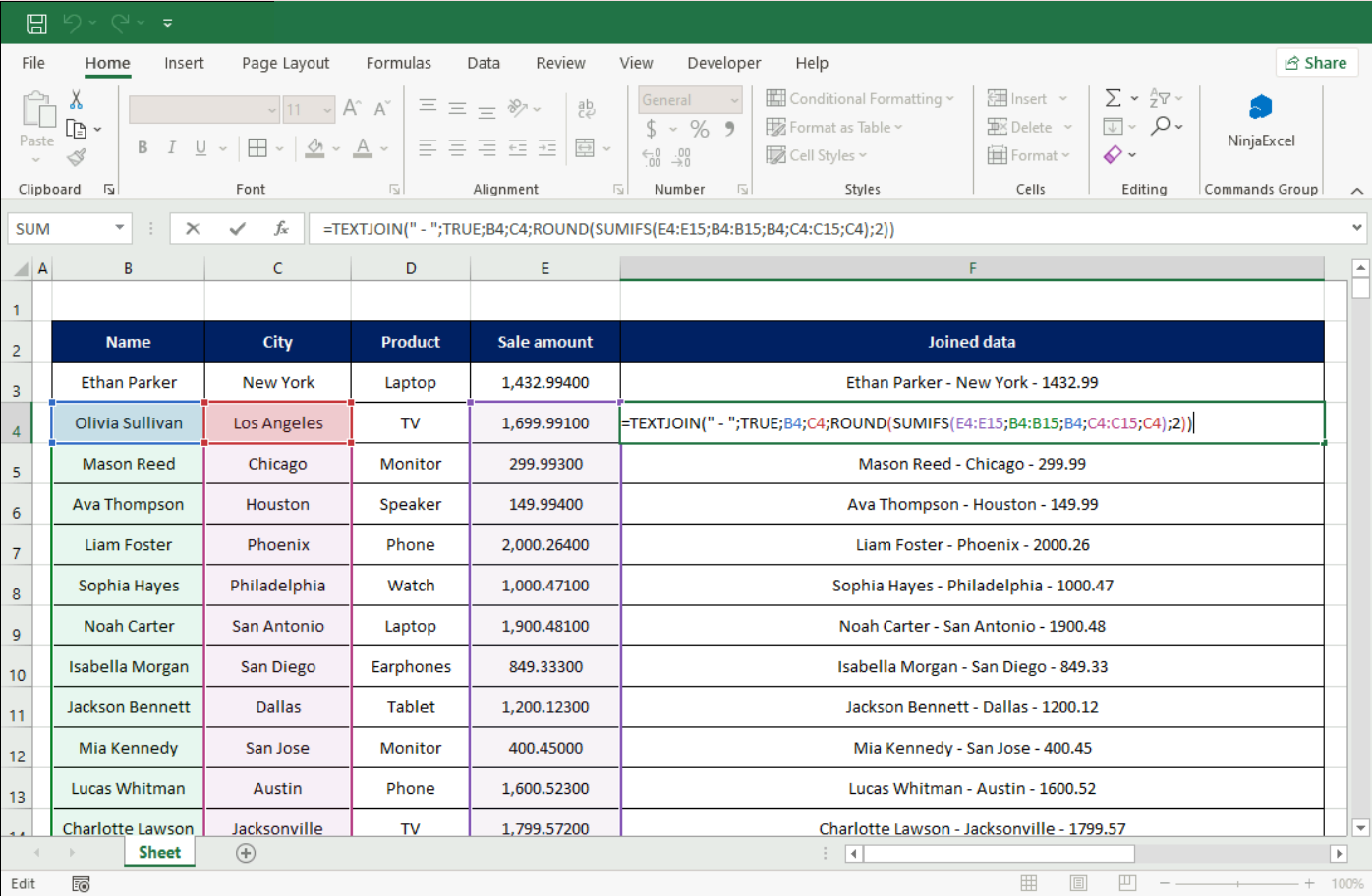
When building a nested function, let Excel’s color-coded parentheses be your guide. They ensure you open and close your criteria in the correct hierarchical order, moving from the specific inner calculations to your main objective.
Are you nesting functions but getting incorrect results? It might be because some of your data needs to be "locked." Read more about the differences between absolute, relative, and mixed references here.
Was this article helpful?
That’s Great!
Thank you for your feedback
Sorry! We couldn't be helpful
Thank you for your feedback
Feedback sent
We appreciate your effort and will try to fix the article